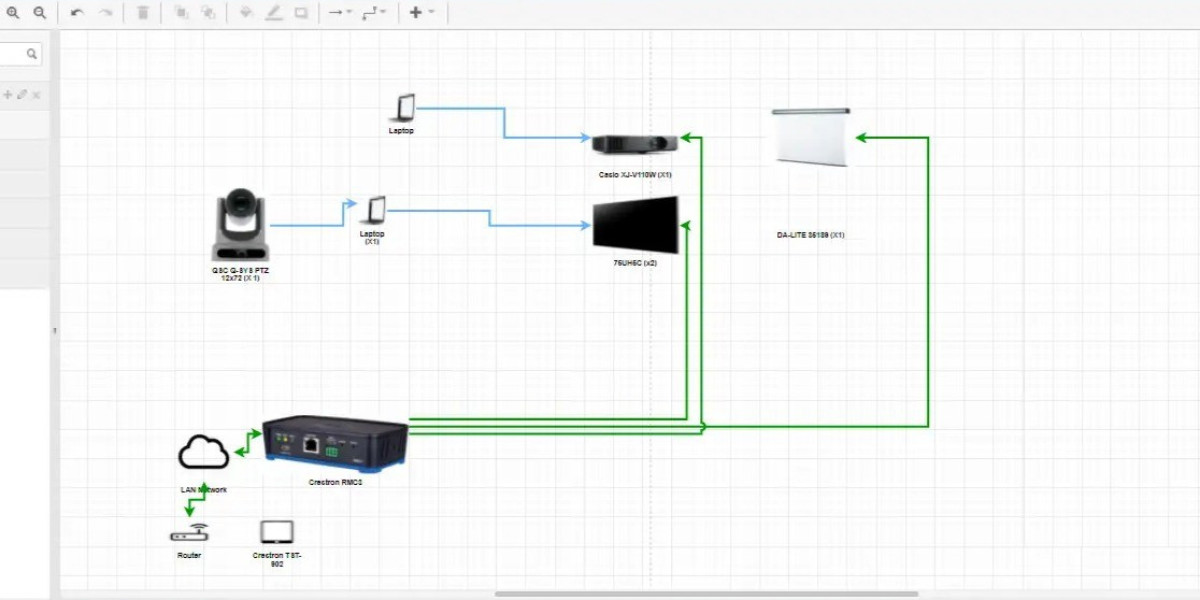

When designing electrical systems—especially for modern or international projects—adhering to recognized standards like NEC (National Electrical Code) in the U.S. or IEC (International Electrotechnical Commission) globally is critical. A wiring diagram tool that supports both standards can help engineers maintain compliance, ensure safety, and streamline documentation. In this blog, we explore whether such tools exist, what to look for, and some strong candidates.
Why NEC and IEC Support Matters
Electrical diagrams are more than just drawings — they define how systems are built, how components interconnect, and how safety is ensured. Using a tool that supports the right standard is important for:
Code Compliance: NEC governs many U.S. projects, while IEC covers much of Europe and international applications.
Consistent Documentation: Correct symbols, wiring conventions, and documentation formats prevent misinterpretation.
Global Collaboration: Teams working across regions can share diagrams more reliably when they follow common standards.
Future‑proofing: As systems evolve or expand, maintaining standardized wiring diagrams helps with maintenance, expansion, and audits.
What to Look for in a Wiring Diagram Tool for NEC and IEC
When evaluating a wiring diagram or ECAD tool, here are key features to check:
Standard‑Compliant Libraries: Symbol libraries should include both NEC and IEC‑style components.
Template Support: The ability to use or build templates that match standard wiring practices.
Automated Reports: Wire lists, terminal diagrams, and bills of materials should be generated per the chosen standard.
Cross‑Standard Conversion: Tools that allow switching between NEC, IEC, or other standards are valuable for multi‑region work.
Validation & Checks: Consistency checks (e.g., wire numbering, component labeling) help catch design issues early.
Scalability: Support for projects ranging from small panels to large industrial installations.
Interoperability: Integration with CAD, BIM, or other engineering platforms ensures seamless workflows.
Wiring Diagram Tools That Support NEC and IEC
Here are several wiring diagram tools that provide solid support for NEC, IEC, or both, along with some trade‑offs.
EPLAN Electric P8
One of the most powerful and widely used tools for professional electrical design.
Standards Support: EPLAN Electric P8 supports IEC, as well as NFPA (NEC‑related), GOST, GB, and more. Eplan+2Eplan+2
Template & Macro-Based Design: Create standardized circuit templates and reuse macros. EPLAN+1
Automatic Reports: Generates terminal diagrams, wire lists, and bills of materials automatically. Eplan
Global Device Data: Uses the EPLAN Data Portal, which has data from hundreds of manufacturers. Eplan
Smart Wiring: Offers a “Smart Wiring” module for virtual wiring, cross-sections, and termination planning. EPLAN
Pros: Very powerful, ideal for industrial-scale or panel‑building work; deep standard compliance.
Cons: Licensing cost can be high and the learning curve is steep.
Elecdes (Electrical CAD)
A dedicated 2D electrical CAD/wiring diagram software used by designers who need standard-driven layouts.
Standard Libraries: Includes IEC, ANSI/IEEE, ISA, and other symbol libraries.
Automated Features: Wire numbering, terminal strips, cross-referencing, and wiring diagram generation are automated.
Database Driven: Uses component databases, making symbol management and part lists manageable.
Pros: More accessible than full ECAD‑level tools; strong support for standard symbols.
Cons: Primarily 2D; may lack advanced 3D wiring harness or panel integration.
PCSCHEMATIC Automation
Built for electrical diagramming with strong emphasis on standard compliance.
IEC Symbol Library: Supports IEC/EN 60617, and reference designation per IEC/EN 61346.
Standard‑Compliant Documentation: Automatically documents symbol libraries, reference designations, and naming based on IEC.
Flexible Design: Supports creation of custom symbols if needed.
Pros: Very good for European‑style engineering and panel wiring; lightweight and focused.
Cons: Less well known in NEC‑centric regions; windowed tool, needs some setup for per‑project standards.
SchemELECT
A wiring diagram software used in industrial electrical design, including renewable energy projects.
Standards Support: Supports IEC, ISO, ANSI, JIS, BS, and other global standards.
Symbol Libraries: Comes with many prebuilt symbols and lets you define your own.
Automation: Wire numbering, terminal block layout, and cable lists can be generated.
Pros: Affordable, flexible, and supports global standards.
Cons: Less mainstream compared to EPLAN, fewer advanced ECAD‑level features.
Wiring DS (Excel‑based)
A niche but powerful tool that uses Excel as a backend for wiring diagram generation.
Workflow: Define your I/O points in Excel and use the tool to generate wiring diagrams.
Symbol Support: While not a full symbol‑based ECAD, it supports typical wiring diagram symbols and generates cross‑references.
Free Version: Has a free version valid for up to 48 I/Os.
Pros: Lightweight, Excel-based workflow is familiar; good for small panels or PLC wiring.
Cons: Lacks full graphical symbol support and standardized drawing conventions compared to dedicated ECAD tools.
How XTEN‑AV Complements These Tools
While XTEN‑AV is primarily known for AV system design, it can play a vital role in wiring design when you integrate AV and electrical systems. Here’s how it helps:
Integration with Wiring Tools: Use wiring diagrams from EPLAN, Elecdes, or PCSchematic together with AV layouts in XTEN‑AV.
Documentation and Coordination: Combine power wiring, control wiring, and AV wiring in one coordinated documentation.
Collaboration: XTEN‑AV’s cloud‑based features enable sharing between electrical and AV teams, ensuring everyone works with the same standard‑compliant diagrams.
Best Practices When Using These Tools for NEC & IEC Compliance
Set Up Templates Early: Define your project standard (NEC or IEC) before you begin wiring design to avoid rework.
Use Standard Libraries: Leverage the built‑in symbol libraries from EPLAN or Elecdes to maintain correct representations.
Maintain Master Data: Use portals or databases (like EPLAN Data Portal) for consistent component information.
Validate with Checks: Run design rule checks ‒ wiring, terminal numbering, cross references ‒ to detect compliance issues.
Export & Archive: Produce wiring list reports, BOMs, and wiring diagrams that reflect the selected standard for maintenance and hand‑off.
Train Your Team: Ensure everyone on the engineering team understands which standard to apply and how the chosen tool enforces it.
Conclusion
Yes, there are wiring diagram tools that support both NEC and IEC electrical standards, and they offer powerful capabilities for designing compliant, safe, and scalable electrical systems. Tools like EPLAN Electric P8, Elecdes, PCSCHEMATIC, and SchemELECT give engineers the flexibility to produce standard‑correct schematics, generate wire lists, and automate documentation.
With XTEN‑AV at top, AV designers and electrical engineers can collaborate more effectively, integrating wiring diagrams into larger systems without losing compliance or clarity. If you're working on a project that requires NEC and/or IEC adherence, these tools provide a solid foundation for professional, standards‑driven design.
Read more: https://palkwall.com/read-blog/82725